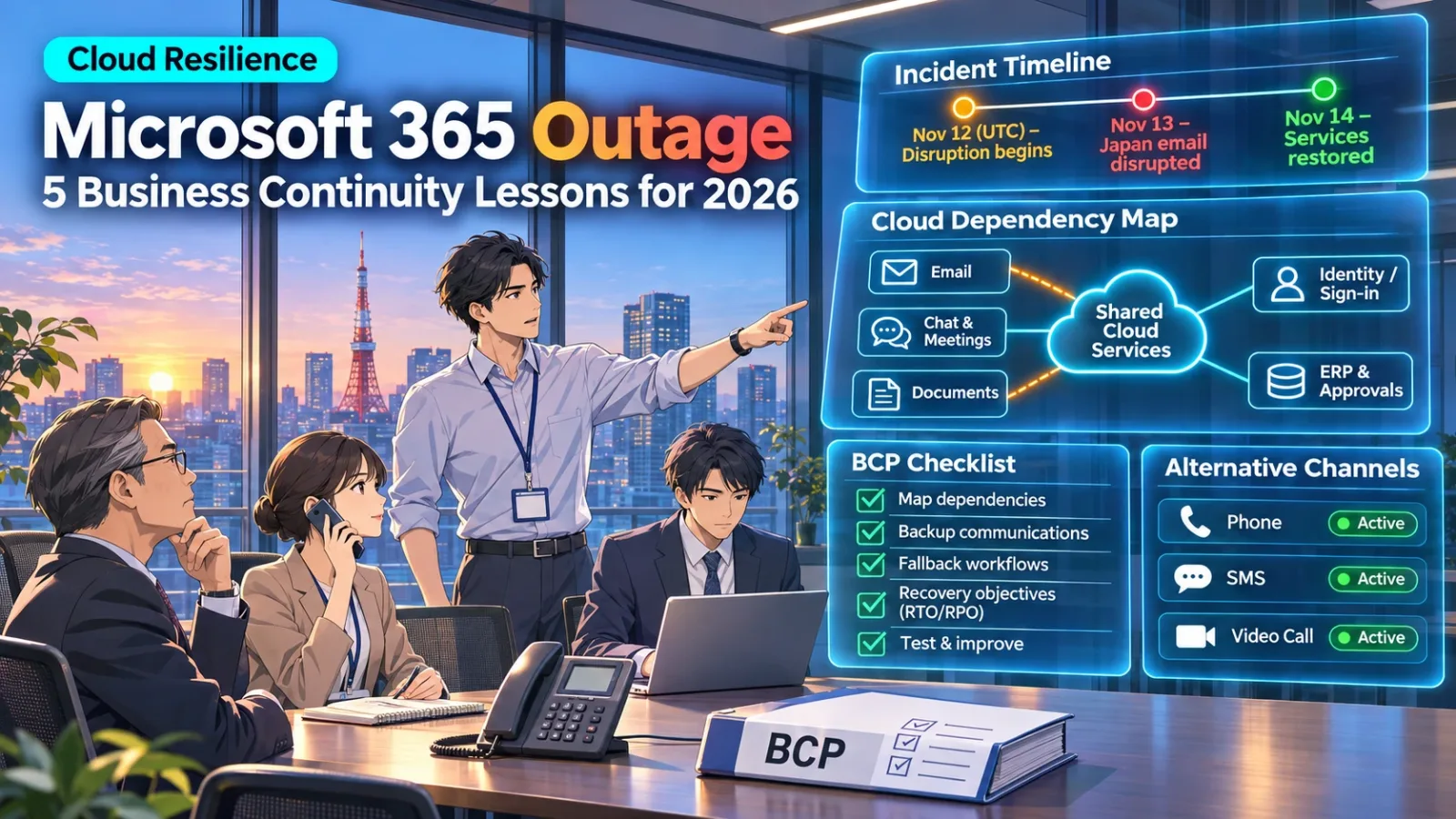
Microsoft 365 Outage in Japan: Five Business Continuity Lessons for 2026
The November 2026 Microsoft 365 outage demonstrated a critical business continuity risk: when communication, authentication, and operational workflows depend on the same cloud ecosystem, a single service disruption can affect an entire organization.
On November 13, 2026, employees across Japan encountered problems accessing Microsoft 365 services. Outlook email was unavailable for many users, while Teams, SharePoint-related functions, Copilot, and other connected applications experienced disruptions.
The impact reached beyond private businesses. Japanese government agencies, universities, and other public institutions reported difficulties with essential communications.
Some organizations returned to telephone calls and fax machines to maintain contact with customers, colleagues, and government departments.
Microsoft subsequently confirmed that the incident originated from a technical issue associated with an earlier network-capacity upgrade, which surfaced following a later network change. The company stated that the outage was not caused by a cyberattack or AI agents.
Service restoration was announced on November 14, although delayed email delivery continued to require processing.
For Japanese businesses, the important question is no longer whether cloud services can experience outages.
They can.
The question is whether critical business operations can continue safely when the cloud services supporting them become temporarily unavailable.
This article examines the November 2026 incident, the limitations of multicloud strategies, and five practical business continuity measures for organizations relying on Microsoft 365 and other SaaS platforms.
What Happened During the November 2026 Microsoft 365 Outage?
The Microsoft 365 outage began on November 12 in UTC time, corresponding to the early hours of November 13 in Japan. It affected Exchange Online and several connected Microsoft 365 services, disrupting email access, collaboration, and dependent business applications. Microsoft announced restoration on November 14.
The Microsoft 365 outage timeline
November 12, 2026: The disruption begins
Microsoft’s service-health incident records identified problems affecting Exchange Online and access to Microsoft 365 services.
Users experienced difficulties connecting to mailboxes, while some email messages remained queued for delivery.
The disruption affected more than a single Outlook application.
Different access methods and applications depended on affected Microsoft infrastructure.
November 13, 2026: Japanese organizations experience operational disruption
As the working day began in Japan, government agencies and businesses reported problems sending or receiving emails.
The Japanese Ministry of Finance published a notice explaining that the outage prevented it from receiving incoming emails.
It advised people with urgent inquiries to contact the ministry by telephone.
The notice also warned that emails and online inquiries submitted during the disruption might not have been received.
Similarly, the Ministry of Foreign Affairs reported that it could not send or receive email and requested telephone contact for urgent matters.
The Financial Services Agency issued comparable guidance.
These official notices provide concrete evidence that the incident affected public-sector communications in Japan.
November 14, 2026: Restoration is confirmed
Microsoft announced that the underlying technical issue had been addressed and services restored.
However, restoration did not immediately mean that every delayed message had been delivered.
A Japanese academic service notice documenting Microsoft’s incident updates stated that emails accumulated during the outage were still being processed following restoration.
Source: Microsoft 365 incident MO1550821, THERS Academic Cloud
What caused the Microsoft 365 outage?
According to Microsoft’s incident updates, an earlier network-capacity upgrade introduced a technical issue that became visible following a subsequent network change.
The company reported that the incident was unrelated to malicious cyber activity or AI agents.
This distinction matters.
The outage should not be characterized as a cybersecurity attack, ransomware incident, or failure caused by autonomous AI.
Instead, it was a technical service-availability incident.
Microsoft indicated that a more detailed post-incident report would follow its investigation.
Consequently, organizations should distinguish the company’s preliminary explanation from any additional conclusions established by a completed root-cause analysis.
Why recovery after a Microsoft 365 outage matters
The Microsoft 365 outage illustrates an often-overlooked aspect of business continuity.
Even when users regain access to a service, dependent business processes may not immediately return to normal.
For example, delayed emails could result in:
- Purchase orders arriving later than expected.
- Customer inquiries requiring additional confirmation.
- Duplicate messages or manual follow-ups.
- Approval processes remaining incomplete.
- Employees being uncertain whether earlier communications were delivered.
A business continuity plan must therefore address both the outage itself and the period of operational reconciliation after service restoration.
Why Did One Microsoft 365 Outage Disrupt So Many Business Operations?
A cloud outage can affect multiple business processes because modern enterprise applications share dependencies. Email, collaboration, authentication, document access, notifications, and system integrations may rely on interconnected services, making failures harder to isolate.
Many organizations view Microsoft 365 as a collection of individual applications.
Outlook handles email.
Meanwhile, Teams supports meetings and communication.
Similarly, SharePoint manages documents.
Finally, Copilot provides AI-assisted workflows.
However, these applications are not entirely independent.
Instead, they rely on underlying services and integrations.
When a shared dependency experiences problems, the effects can extend across several applications.
Consider a Japanese manufacturing company using Microsoft 365 alongside its ERP and procurement platforms.
Its workflow might involve:
- A supplier sends a purchase confirmation through email.
- The procurement team reviews a related document stored in SharePoint.
- An approval notification is generated through Power Automate.
- A manager confirms the order.
- The ERP system records the approved transaction.
This is an illustrative workflow, not a documented effect at a particular company during the November outage.
If email becomes unavailable, the first step may be delayed.
When related collaboration functions are also affected, employees might struggle to coordinate the approval.
If an automation depends on Exchange Online, the notification may not reach the intended recipient.
The ERP system itself might remain operational, yet the broader procurement process could still be interrupted.
This is the difference between application availability and business-process availability.
The technical components of a workflow do not all need to fail for the business process to stop.
Three dependencies exposed by the Microsoft 365 outage
Communication dependencies
Does the company depend on one email or collaboration platform for customer communications, internal escalation, and emergency coordination?
Authentication dependencies
Do important applications rely on a shared identity provider such as Microsoft Entra ID?
A backup application hosted elsewhere may still depend on the same authentication service.
Workflow dependencies
Do approvals, notifications, document reviews, and automated processes depend on Microsoft 365 integrations?
If so, business continuity planning must extend beyond the applications employees see on their screens.
These dependencies are particularly important when companies operate a combination of cloud services, legacy systems, and custom integrations.
Can Multicloud Architecture Prevent Another Microsoft 365 Outage?
Multicloud architecture can reduce certain infrastructure risks, but it cannot automatically prevent disruptions to Microsoft 365 or another SaaS application. Businesses must distinguish infrastructure redundancy from continuity of email, authentication, and operational workflows.
Following a major cloud incident, one common recommendation is to introduce multicloud infrastructure.
In principle, the concept is straightforward.
Instead of relying entirely on one cloud provider, businesses distribute selected applications or workloads across multiple providers.
For some applications, this can be a useful resilience strategy.
However, applying it indiscriminately can create additional complexity without solving the original problem.
Infrastructure redundancy is not the same as SaaS continuity
Suppose a company hosts its customer portal on Microsoft Azure.
A carefully designed alternative deployment on another cloud provider might allow it to maintain access if a particular Azure component becomes unavailable.
Such a configuration requires appropriate data replication, independent networking, failover mechanisms, and regular testing.
Now consider the company’s email system.
The company relies on Exchange Online through Microsoft 365.
Even if its custom applications run on another cloud provider, employees may still be unable to use Exchange Online during a Microsoft 365 service disruption.
The additional cloud provider does not automatically provide a replacement email service.
The business needs a separate continuity plan for its communication workflow.
A second challenge concerns authentication.
Imagine that a company uses Microsoft Entra ID to authenticate employees across several SaaS applications.
For instance, one application may run on Microsoft infrastructure.
Another may use Google Cloud.
A third may be hosted independently.
Despite this infrastructure diversity, employees might still rely on Microsoft Entra ID to sign in.
If the relevant identity service becomes unavailable, some applications may become inaccessible even though their underlying infrastructure remains healthy.
This is an architectural risk scenario, not a claim that Entra ID itself was universally unavailable during the November incident.
Microsoft provides dedicated guidance on emergency administrator access and identity resilience.
For example, its emergency-access guidance recommends maintaining carefully controlled emergency accounts with independent authentication arrangements.
The lesson is that resilience should be evaluated across the complete dependency chain.
When is multicloud justified?
Multicloud may be appropriate when:
- A critical application can operate independently across different providers.
- The business has a defined recovery requirement that justifies the additional architecture.
- Data synchronization and failover can be implemented securely.
- The organization has sufficient engineering resources to maintain both environments.
- The expected reduction in operational risk justifies the cost and complexity.
For other workloads, a properly designed single-cloud or hybrid architecture may be more appropriate.
The objective is not to use more cloud providers. It is to eliminate unacceptable single points of operational failure.
What Are the Five Most Important Business Continuity Measures After the Microsoft 365 Outage?
Businesses should prioritize five measures: dependency mapping, independent emergency communication, alternative workflows, recovery objectives, and practical continuity testing. These controls help organizations prepare for cloud outages without assuming that every system requires full duplication.
1. Map critical workflows and their cloud dependencies
Before purchasing additional infrastructure, identify the business processes that cannot tolerate prolonged disruption.
Examples include:
- Customer support and urgent inquiries.
- Procurement and order confirmation.
- Production scheduling.
- Supplier coordination.
- Financial approvals.
- Compliance reporting.
- Incident response and emergency communication.
For each process, identify the applications, identity systems, data sources, employees, and external organizations involved.
The result should be a dependency map showing which functions rely on Microsoft 365, other cloud services, and internal systems.
This creates a clearer picture of the organization’s actual exposure.
It also helps avoid investing in redundant infrastructure for systems that do not require the same level of availability.
2. Establish independent emergency communication channels
The November Microsoft 365 outage demonstrated how quickly email disruption can affect business communications.
Japanese ministries responded by directing urgent inquiries to telephone channels.
That is a practical example of using an alternative communications process.
Companies should define emergency methods before a disruption occurs.
Depending on their operations, these may include:
- Corporate mobile phones.
- Preapproved SMS communication.
- Alternative conferencing services.
- Secure emergency contact lists.
- Supplier and customer escalation procedures.
- Telephone-based confirmation for critical transactions.
However, a backup communication method must not depend on the same failing service.
An emergency contact list stored exclusively in an inaccessible cloud application may be useless during an outage.
Organizations should maintain appropriately protected copies that authorized personnel can access during disruption.
Microsoft’s enterprise business continuity guidance also emphasizes preparing alternative communication channels before incidents occur.
3. Prepare alternative workflows for essential operations
A business continuity plan should explain how employees can continue essential work when normal digital tools are unavailable.
Consider procurement again.
If email is disrupted, can a supplier confirm an urgent order through another approved channel?
Can the procurement manager verify the transaction without bypassing required controls?
Can the company record the transaction for reconciliation after normal systems return?
The alternative process should define:
- Who can authorize the transaction.
- Which communication methods are acceptable.
- What information must be recorded.
- How duplicate transactions will be prevented.
- How the data will be reconciled after restoration.
The goal is not to abandon digital systems.
It is to establish a controlled temporary procedure that protects business operations.
Security requirements should remain in place, especially for financial approvals, sensitive information, and instructions that could be fraudulent.
4. Define recovery objectives and responsibilities
Not every business process requires immediate restoration.
A company should determine which activities are most time-sensitive and define appropriate recovery objectives.
Two common measures are:
Recovery Time Objective (RTO)
The maximum targeted period within which a business function or system should be restored after a disruption.
Recovery Point Objective (RPO)
The maximum acceptable amount of data loss, commonly expressed as a time interval.
These measures serve different purposes.
RTO concerns restoration time.
By contrast, RPO concerns recoverable data.
For a communication process, the organization may also need a separate target for how quickly an alternative channel must become operational.
For example, a company might decide that urgent supplier communication must continue through an approved alternative method even when its main email service remains unavailable.
That is a business requirement, not a guarantee that the underlying SaaS platform will recover within the same timeframe.
Each critical workflow should have a named business owner and a technical escalation contact.
5. Test business continuity plans under realistic conditions
A documented BCP does not establish that the organization can execute it.
That is why testing is essential.
Companies can conduct a controlled exercise in which a key business application is assumed to be unavailable.
For example:
Scenario: Outlook and Teams become unavailable during business hours.
The exercise should ask:
- Is IT able to notify employees without using the affected services?
- Can managers contact critical customers and suppliers?
- Do authorized employees have access to emergency procedures?
- Can essential approvals continue through approved channels?
- Is the organization able to determine whether messages sent during the incident were delivered?
- Can operations return to normal without duplicated records or missed actions?
The test should identify weaknesses and assign responsibility for correcting them.
Organizations should also update the plan whenever important applications, authentication systems, or business workflows change.
Microsoft’s own service-incident mitigation guidance recommends measures such as multichannel incident notifications, backup conferencing, and access to locally synchronized critical documents where appropriate.
How Should Businesses Evaluate Cloud Engineering and Modernization Partners?
A cloud engineering partner should be evaluated on its ability to understand business dependencies, design realistic continuity measures, integrate existing systems, and test recovery procedures. Experience with cloud migration alone is not sufficient to demonstrate operational resilience.
The Microsoft 365 outage provides a useful reason for Japanese businesses to reconsider how they evaluate cloud infrastructure and modernization projects.
However, vendor selection should focus on the company’s actual requirements.
Six criteria for evaluating a cloud engineering partner
1. Business-impact analysis
Can the vendor identify the business consequences of a system outage?
A credible assessment should distinguish critical workflows from applications that can tolerate temporary disruption.
2. Dependency mapping
Can the vendor identify cloud services, authentication systems, integrations, and supporting infrastructure that could interrupt essential operations?
3. Appropriate architecture
Can the vendor explain when a single-cloud, hybrid, multicloud, or application-level continuity strategy is appropriate?
A provider recommending multicloud for every problem may be overlooking the true source of risk.
4. Security and compliance
Can alternative workflows and recovery arrangements be implemented without compromising access controls, data protection, or audit requirements?
5. Recovery testing
Can the vendor help validate backup procedures, failover behavior, emergency communications, and business-process recovery through practical exercises?
6. Operational accountability
Who is responsible for monitoring, incident escalation, maintenance, and updating the continuity plan when infrastructure changes?
The answers should be documented and agreed upon before implementation.
Where modernization can improve resilience
Some business continuity problems originate in older applications and tightly coupled integrations.
For example, a legacy system may depend on email notifications to advance an approval process.
If those messages fail, employees may have no alternative way to review pending requests.
Application modernization may allow the company to introduce:
- An independently accessible approval interface.
- Better error handling and retry mechanisms.
- Persistent transaction queues.
- Documented API integrations.
- Monitoring and alerting for failed processes.
- Controlled manual intervention when automation is unavailable.
These measures do not eliminate cloud outages.
They reduce the likelihood that a temporary disruption causes an uncontrolled business-process failure.
Renesis Tech Japan provides cloud engineering services covering cloud-readiness assessment, architecture design, migration planning, monitoring, and infrastructure optimization.
Its application modernization services also address legacy-system assessment, architecture redesign, integration modernization, and phased migration.
These capabilities are relevant to organizations assessing technical dependencies and improving operational resilience. For related lessons on accountability and escalation, see our analysis of the GMO cyberattack.
However, no development or cloud engineering partner can guarantee uninterrupted availability of Microsoft 365 or another third-party SaaS platform.
The realistic objective is to design systems and procedures that reduce the business impact of failures outside the organization’s control.
Frequently Asked Questions
Does Microsoft 365 Need a Separate Business Continuity Plan?
Yes. Organizations should include Microsoft 365 dependencies in their overall business continuity planning. The plan should identify critical workflows, alternative communication channels, responsible personnel, and recovery procedures if relevant services become unavailable.
Would Moving to Google Cloud Prevent an Outlook Outage?
Not automatically. Hosting custom applications on Google Cloud does not ensure that Exchange Online email remains available. Businesses must plan separately for SaaS continuity, identity dependencies, and application hosting.
Is Microsoft 365 Backup Enough to Prevent Operational Downtime?
No. Data backup and service continuity solve different problems.
A backup can support data recovery after deletion, corruption, or other data-loss events.
It does not necessarily allow employees to continue using Exchange Online while the live service is unavailable.
Microsoft documents the data-restoration capabilities of Microsoft 365 Backup, but businesses should not confuse restore points with an independently functioning replacement service.
Should Every Japanese Company Adopt Multicloud Architecture?
No. Multicloud is appropriate for selected workloads where its benefits justify the additional engineering and operational complexity. Some organizations may achieve better resilience through improved dependency management, application-level recovery, and alternative business workflows.
What Should IT Managers Review First After the November 2026 Microsoft 365 Outage?
Start with the most critical business processes that depend on Microsoft 365.
Identify how employees would communicate, access necessary information, approve transactions, and coordinate incident response if the primary service became unavailable.
Then test whether the documented alternatives actually work.
Can Cloud Engineering Partners Eliminate the Risk of SaaS Outages?
No partner can eliminate every risk created by external services.
However, an experienced engineering partner can help identify dependencies, reduce avoidable architectural weaknesses, develop alternative workflows, and test operational recovery procedures.
Conclusion: Cloud Resilience Begins With Business Continuity
The November 2026 Microsoft 365 outage was a reminder that modern enterprise operations depend on interconnected digital services.
Outlook, Teams, SharePoint, and other cloud applications provide substantial benefits.
Yet when multiple business processes depend on shared infrastructure, an interruption can spread beyond the original technical issue.
For Japanese organizations, this raises an important strategic question.
Are we investing primarily in cloud availability, or are we designing the business to remain operational when important cloud services become unavailable?
These objectives are related, but they are not identical.
Five actions to prioritize after the Microsoft 365 outage
The five actions to prioritize are:
- Map dependencies: Identify which critical business processes rely on Microsoft 365 and other shared services.
- Prepare alternative communications: Ensure urgent messages can reach employees, customers, and suppliers independently of the primary platform.
- Establish controlled fallback workflows: Define how essential transactions and approvals continue during disruption.
- Set recovery priorities: Document business owners, restoration objectives, and escalation responsibilities.
- Test and improve: Conduct realistic continuity exercises and update plans based on the findings.
The goal is not to eliminate cloud services or duplicate every application across multiple providers.
It is to understand operational dependencies and make proportionate investments in resilience.
Before adding another cloud provider, identify the business processes that cannot afford to stop.
For organizations planning to assess cloud architecture, modernize legacy applications, or improve system integration, Renesis Tech Japan provides cloud engineering and application modernization services.
Businesses exploring broader operational improvements, including AI and workflow automation opportunities, can also review our AI Business Diagnosis.
The AI Business Diagnosis is intended to help explore business improvement opportunities. It should not be treated as a substitute for a dedicated business continuity or disaster recovery assessment.
Editorial note: This article reflects publicly available information as of November 16, 2026, including official Japanese government notices and Microsoft service-health updates. Microsoft’s final post-incident report may provide additional detail on the root cause.